UIDAI Official Portal Overview
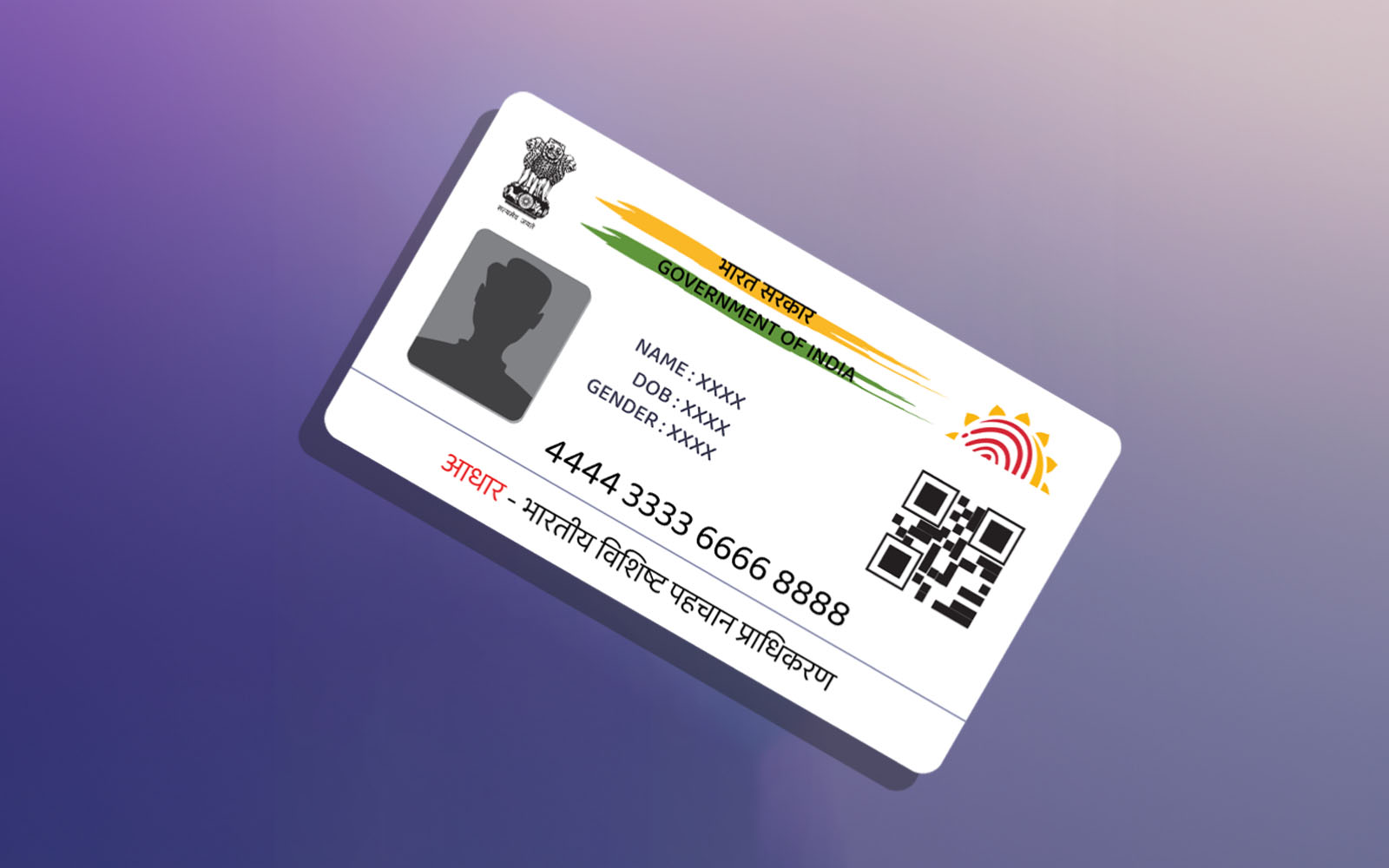
The official UIDAI website is uidai.gov.in. The portal is divided into several sections catering to different user types. The main resident-facing portal for self-service is myaadhaar.uidai.gov.in.
| Portal / URL | Purpose |
| uidai.gov.in | Main UIDAI website — information, downloads, policies |
| myaadhaar.uidai.gov.in | Resident self-service portal for Aadhaar services |
| resident.uidai.gov.in | Legacy resident services (redirects to myAadhaar) |
| uidai.gov.in/contact-support | Contact UIDAI and raise grievances |
How to Log In to UIDAI Portal (Residents)
The resident login is done via the myAadhaar portal. Unlike a traditional username/password login, UIDAI uses an OTP (One-Time Password) based authentication system, ensuring higher security. Here is a step-by-step guide:
Step 1: Visit the myAadhaar Portal
Open your web browser and navigate to myaadhaar.uidai.gov.in. The portal is available in multiple Indian languages including Hindi and English.
Step 2: Click on ‘Login’
On the homepage, click the ‘Login’ button located at the top-right corner of the page, or access any specific service that requires login.
Step 3: Enter Your Aadhaar Number
Enter your 12-digit Aadhaar number in the designated field. Make sure you enter the correct number to avoid failed authentication.
Step 4: Enter the Captcha
A security CAPTCHA will appear on the screen. Enter the characters shown to verify you are a human user, not an automated bot.
Step 5: Request OTP
Click ‘Send OTP’. A One-Time Password will be sent to your mobile number registered with Aadhaar. The OTP is valid for a limited duration — usually 10 minutes.
Step 6: Enter OTP and Verify
Enter the OTP received on your registered mobile number and click ‘Login’ or ‘Verify’. Upon successful verification, you will be logged into your myAadhaar dashboard.
Note: If your mobile number is not registered or has changed, you will need to update it at the nearest Aadhaar Enrollment Center or via a UIDAI-authorized bank before you can use OTP-based login.
Services Available After Login
Once logged into the myAadhaar portal, residents can access a comprehensive suite of services:
Aadhaar Download
Download a password-protected PDF of your e-Aadhaar. The PDF is secured with a password that is a combination of the first four letters of your name (in capital letters) and your year of birth & download Aadhaar card.
Update Aadhaar Details
Submit requests to update your Name, Address, Date of Birth, Gender, Mobile Number, and Email Address. Online updates for address are available free of charge. Other updates may require visiting an enrollment center.
Aadhaar PVC Card Order
Order a durable, credit card-sized PVC Aadhaar card with enhanced security features including a QR code, hologram, and Guilloche pattern for Rs. 50, including delivery charges.
Biometric Lock/Unlock
Lock your biometric data to prevent unauthorized biometric authentication. This is a strong security feature — when biometrics are locked, no authentication request using your fingerprint or iris can succeed. You can temporarily unlock biometrics when needed.
Aadhaar Authentication History
View a detailed log of all authentication attempts made using your Aadhaar number. This helps detect any unauthorized use of your Aadhaar.
Aadhaar TOTP
Generate a Time-based OTP (TOTP) for authentication purposes, which is valid for only 30 seconds and adds an extra layer of security.
VID (Virtual ID) Generation
Generate or retrieve your 16-digit Virtual ID — a temporary, revocable number that can be used in place of your Aadhaar number for authentication, protecting your actual Aadhaar number from being shared.
Check Linked Mobile/Email
Verify which mobile number and email address are currently registered with your Aadhaar.
Agency and Operator Login
For agencies — including Registrars, Enrollment Agencies, AUAs, and KUAs — UIDAI provides a separate administrative portal with role-based access control.
Enrollment Agency Login
Enrollment agencies and their operators use the UIDAI enrollment client software, not the web portal, to perform biometric enrollments. Access is granted via agency-level credentials issued by UIDAI after successful registration and training.
AUA/KUA Portal Access
Authentication User Agencies and KYC User Agencies access UIDAI’s API infrastructure for programmatic authentication. Administrative portal access for compliance, MoU management, and reporting is handled via uidai.gov.in. Agencies must first sign a Memorandum of Understanding (MoU) with UIDAI.
Authentication Logs: Users can monitor all authentication history and report suspicious activity.
Common Login Issues and Solutions
| Issue | Solution |
| OTP not received | Ensure registered mobile number has signal and is active. Wait a few minutes and retry. Check if SMS blocking is enabled. |
| Incorrect Aadhaar number | Double-check the 12-digit number. Look at your Aadhaar card or e-Aadhaar PDF. |
| Mobile number not registered | Visit nearest Aadhaar Enrollment Center or authorized bank to register/update mobile number. |
| Biometrics locked | Temporarily unlock biometrics via myAadhaar portal before attempting biometric authentication. |
| Captcha error | Refresh the page and enter the new CAPTCHA carefully. Ensure caps lock is off. |
| Portal not loading | Clear browser cache and cookies. Try a different browser. Ensure stable internet connection. |
| VID not working | Generate a new VID. Old VIDs may be revoked when a new one is generated. |
Privacy and Data Protection
UIDAI operates under a strict legal and technical framework designed to protect residents’ data. Key privacy provisions include:
• Data minimization: Only the minimum necessary data is shared during authentication. An authentication response only confirms Yes/No — it does not return biometric or demographic data.
• No purpose limitation: Aadhaar authentication cannot be used for profiling. Agencies are prohibited from collecting or storing biometric data.
• Consent: Agencies must obtain explicit informed consent from residents before using Aadhaar authentication.
• Right to complain: Residents can file grievances against unauthorized use of their Aadhaar on the UIDAI portal or via the 1947 helpline.
The Aadhaar Act also prescribes penalties for unauthorized access, use, or disclosure of identity information, including imprisonment and fines.
Tips for Safe and Effective UIDAI Login
• Always access UIDAI services from the official website (uidai.gov.in or myaadhaar.uidai.gov.in). Beware of phishing sites.
• Keep your registered mobile number active and updated to ensure uninterrupted OTP delivery.
• Do not share your OTP with anyone — UIDAI never asks for OTPs over phone calls.
• Enable biometric lock when not actively using Aadhaar-based authentication.
• Regularly check your authentication history to detect any suspicious activity.
• Use VID instead of your actual Aadhaar number wherever possible.
• Log out of the myAadhaar portal after each session, especially on shared devices.
UIDAI Contact and Support
If you face issues with your UIDAI login or Aadhaar-related services, you can reach UIDAI through the following channels:
• Toll-Free Helpline: 1947 (available in multiple languages, 24×7)
• Email: [email protected]
• Online Grievance: File a complaint at uidai.gov.in/contact-support
• Regional Offices: UIDAI has regional offices in major cities including New Delhi, Mumbai, Chandigarh, Lucknow, Hyderabad, Ranchi, Guwahati, and Bengaluru.
Conclusion
The UIDAI portal and its login system represent a sophisticated yet user-friendly approach to digital identity management. By leveraging OTP-based authentication, Virtual IDs, biometric locks, and real-time authentication history, UIDAI has created a secure ecosystem that empowers residents to control their own digital identity.
Whether you are an individual wanting to download your e-Aadhaar, update your details, or protect your biometric data, or an organization seeking to leverage Aadhaar-based authentication for your services, the UIDAI portal is your central hub. Always access it via official channels, keep your registered mobile number up to date, and use available security features to protect your Aadhaar from misuse.
As India’s digital infrastructure continues to evolve, UIDAI remains at the forefront of ensuring that identity verification is universal, secure, and privacy-respecting — serving over a billion citizens in one of the world’s most ambitious digital identity initiatives.